Learn to use this
Three parts, a minute each. Click a demo to watch it; click again to pause.
1 · Pick a city, price a trip
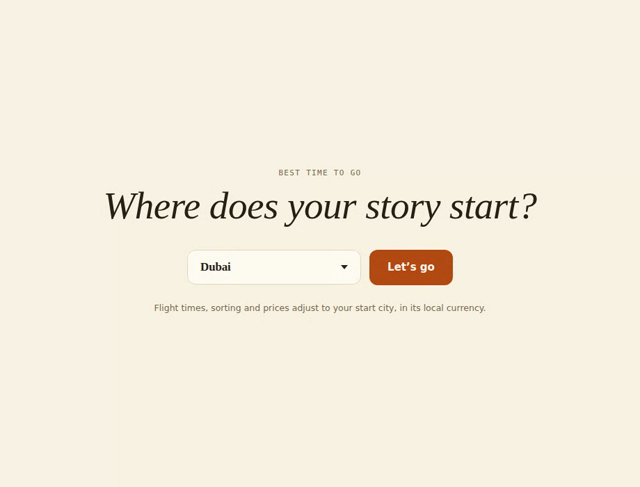
Choose your start city on the opening screen (the site suggests the nearest one). Then, under Choose a destination, use Quick budget: type any country and the map splits in two — a close-up of the country with its arrival city and key tourist places on the left, and your flight route, zoomed to fit both cities, on the right. You also get a rough per-person cost in your own currency and a When to go box listing the best travel windows and why. Adjust nights and travellers with the +/− buttons; every figure updates instantly — and the currency selector in the top bar (also beside the trip-type switch) shows every figure in the money you think in. Once a country is picked, an Explore more panel appears below — it opens by itself as you reach it (on a computer, gliding the mouse over it does the same; the triangle also toggles it) for what that place is known for: signature dishes and drinks, the key experiences, and what’s worth bringing home, each with a line of context. When you like what you see, use the Share this trip buttons to send the exact plan to a friend — the link reopens the site with everything already filled in. Planning more than one country? Flip the Single / Multi-stop switch to chain up to four stops — each with its own nights — and the map draws the whole route leg by leg, with a checkbox for whether you loop back home.
Signed in (email, Google or Apple — free), three more doors open: the Planner builds your whole year — every trip with its own month, nights and notes, priced from your home city, with an annual budget, a month-by-month cashflow, a printable/PDF summary and a read-only share link; My map is your personal world map — tap countries you’ve visited or dream about, watch planned ones fill in from the planner, and download it as a 4K wallpaper or an A0 print; and you can invite contributors to a plan, either with editing permission or with their suggestions held for your approval.
 ▶ Watch how
Quick budget: country, nights, travellers → cost, route and travel windows.
2 · Ask it backwards
Below the budget sits Where can I go? — the same question in reverse. Type a total budget, pick a month (or leave it on “any”), and every country that fits appears, split into fits whenever you book, fits off-peak and almost. Tap any result and it loads straight into Quick budget above, with the map and share buttons ready.
3 · Plan for the year
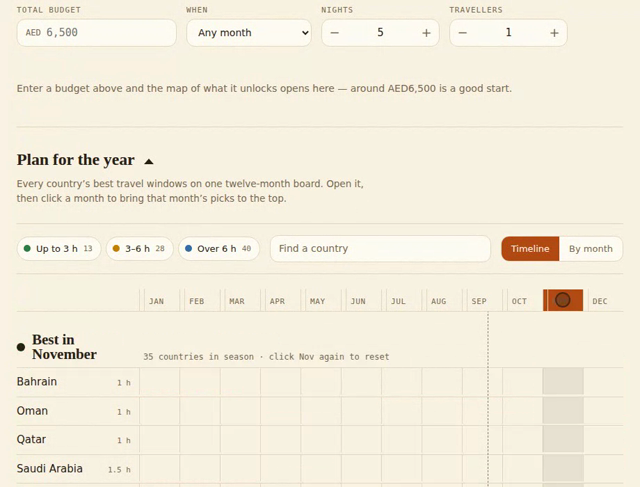
Lower down, open Plan for the year (the triangle expands it). Every country sits on a twelve-month board: coloured bars mark its best windows, and the colour tells you how long the flight is from your city. Click a month name to bring that month’s in-season countries to the top; click a country row for the reason behind each window; or switch to By month to browse one month at a time. The search box and the flight-time filters narrow the board.
 ▶ Watch how
Plan for the year: click a month, filter by flight time, or browse month by month.